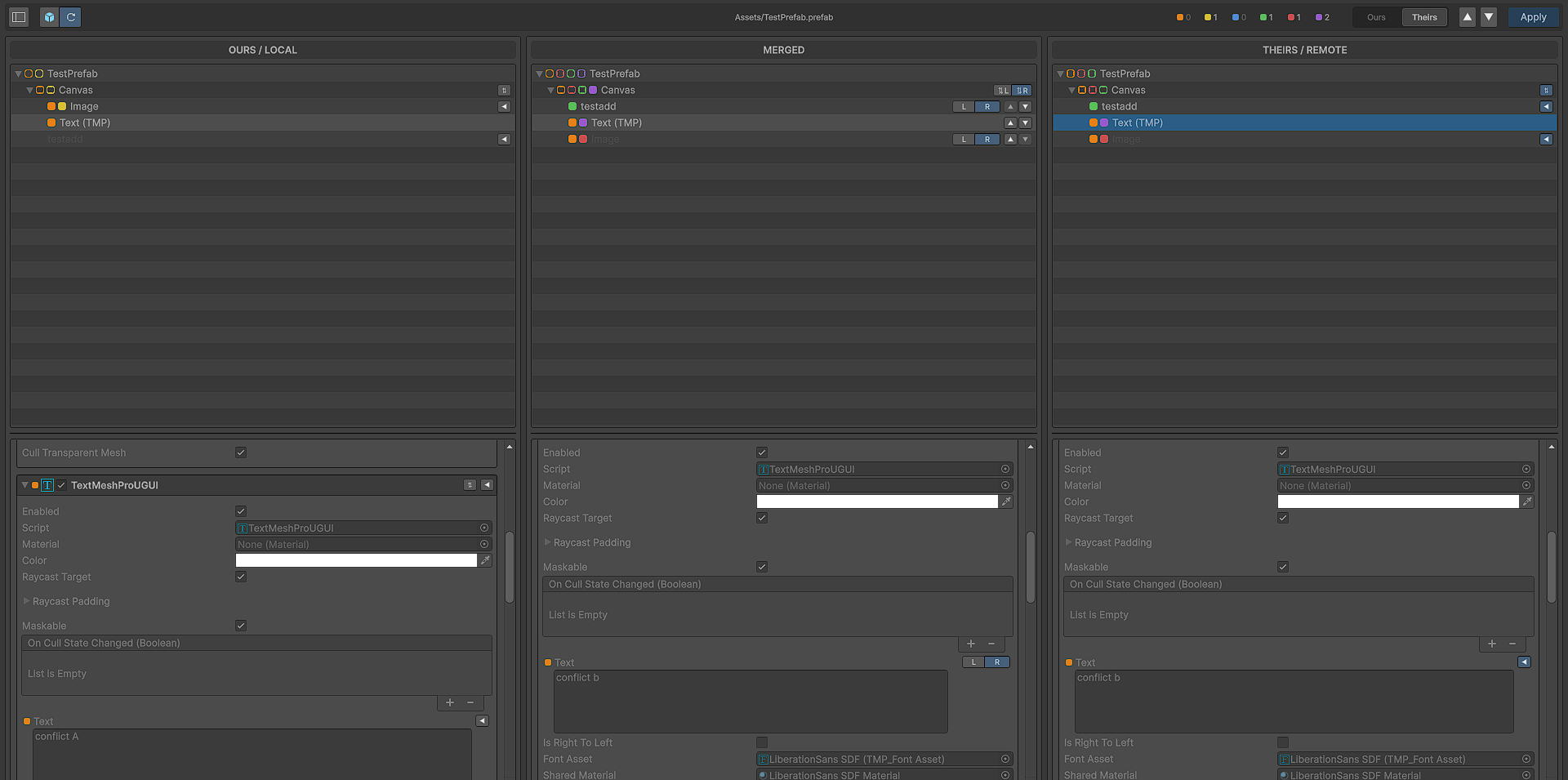
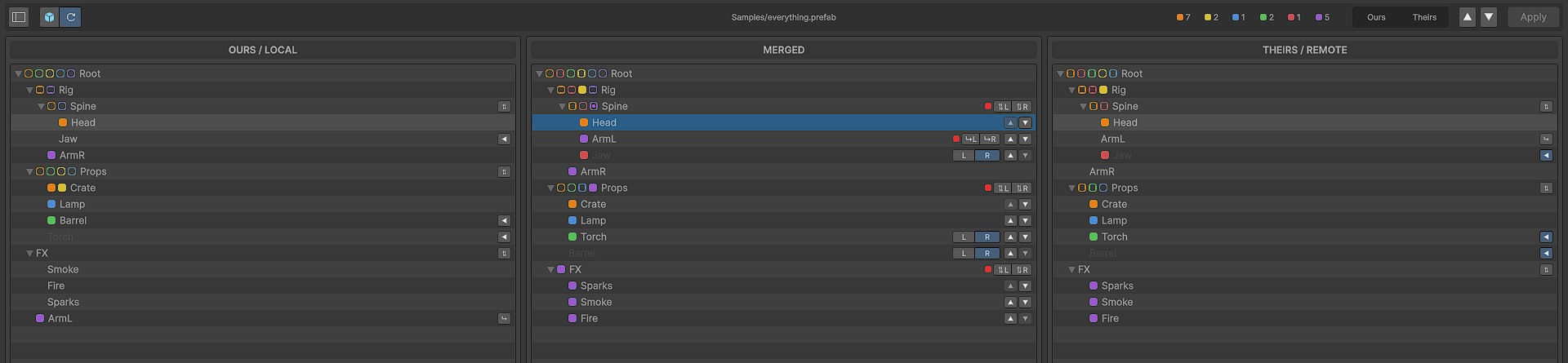
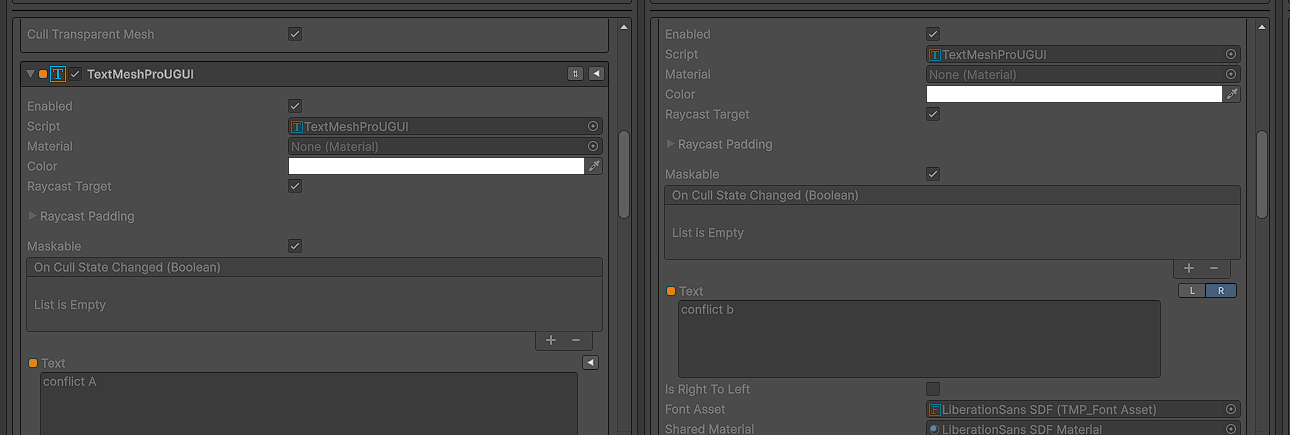
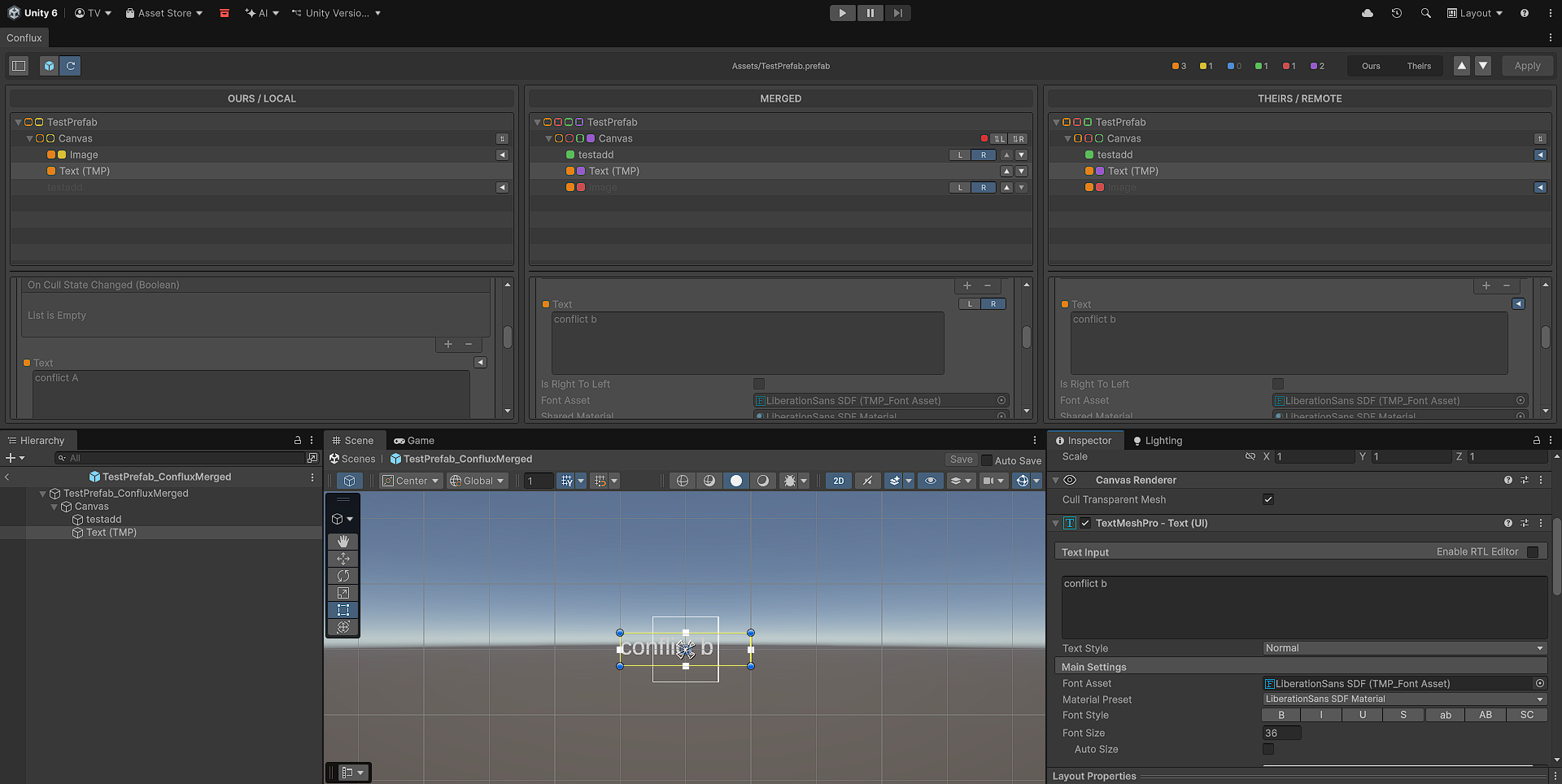
Three synchronized panels
 Conflux
A prefab merge tool for Unity. Resolve three-way conflicts by what a prefab means, not what its text looks like, one property at a time.
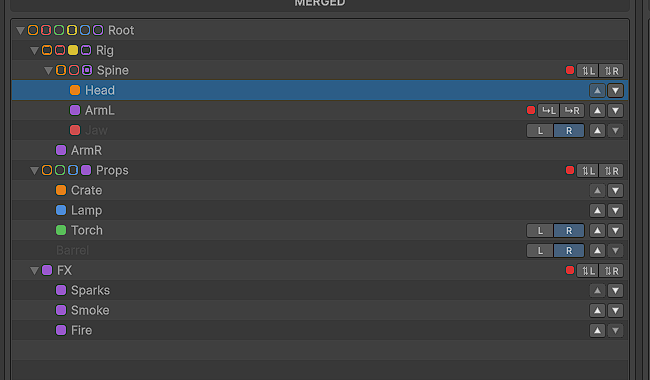
Every merge conflict on a prefab is the same afternoon. Git hands you two walls of YAML it can't reconcile, your merge tool offers to take one side whole, and whichever one you pick throws away work somebody did. Sometimes the file won't open afterwards. The worse case is when it opens fine and the prefab is quietly broken in a way nobody catches for a week.
None of that is Git's fault. What a prefab actually contains is component types, references and nested overrides, and none of it survives being compared as lines of text. This tool asks a different question: parse all three sides into a real object model, compare them field by field, and let Unity's own APIs rebuild the result.
.prefab files under Assets/.
Apply writes the file and stops. No git add, no p4 resolve, no
svn resolved. Marking a conflict resolved is your call to make once you've looked
at the result.
Before it overwrites anything, Apply spells out what will change. It also saves
the prefab as it stood on your side before the merge, in
ConfluxBackups/ or wherever you point it. If the backup can't be
written, nothing is overwritten.
After writing, it reads the file back through Unity's loader and compares it with the result you approved: every object, component, value and reference. A difference is named object by object. Identity is part of that check, so quietly renumbered fileIDs are caught before they break every variant and scene reference.
Conflux reads the base and shows the inherited hierarchy inline, so a variant looks like the prefab does in the Inspector. Overrides and deletions on inherited objects are tracked per side. Unpacked instances are refused with a warning rather than silently merged wrong.
Where both branches appended to the same list, take both. It starts from Theirs, appends the Ours entries that aren't already present, keeps the order and skips duplicates. References, strings and lists of your own structs all work.
Git, Subversion, Mercurial, Perforce and Plastic SCM. Detection is automatic, and everything you see is identical either way. It can also serve as an external merge tool for any of the five.
The tally beside the toolbar is also the filter. Uncheck a kind and its rows leave all three panels together. Nothing is hidden from the write: the outstanding count still counts all of it, and Apply is still blocked by what you can't see.
The sidebar counts how many of the listed conflicts hold a merged result, and applying one opens the next, so seven files isn't seven round trips.
Fifteen hand-built scenarios covering value clashes, identical edits, modify/delete, reorders, reparents, nested overrides, variants and more. They open through the same pipeline a real conflict does.
If the base is conflicted too, Conflux refuses to open the variant rather than letting you work through it and hit a wall at Apply.
Deliberately absent. Every write asks first and says what it will change. Overwriting prefabs in someone's repository is not a thing to do behind a single confirmation.
Every panel is version-gated and cached, the hierarchies draw only the rows on screen, and the inspector renders only the selected object. A tiny prefab and one with thousands of objects both stay responsive; on the largest, the live preview steps aside automatically so each decision is instant.
Prefab (.prefab) merges are the intended scope. Scene (.unity) support is a work in progress: scenes have many roots plus settings singletons that would diff happily and then never rebuild.
A component with your own [CustomEditor] shows that inspector, read-only, above its rows, so it is recognisable at a glance. The rows underneath still carry every per-property decision, and the block folds away when you would rather just merge.
Conflicts are read from whichever of the five you use, through the version control CLI already on your machine. Plastic SCM points its external merge tool at Conflux once; the other four are detected automatically.
Paths and processes go through the platform's own APIs, with no hardcoded separators or Windows-specific calls, so the same editor tool runs on all three.
PrefabStageUtility moved out of the Experimental namespace in 2021.2, which sets the floor. The rest of the API surface has been stable since 2018.3.
Nothing ships in a build and nothing runs at runtime. No dependencies. It talks to the version control CLI already on your machine.
No C# 8+ syntax, so it keeps compiling on the language versions that came with older editors. Nothing in it is a black box.
An EditMode suite covers parsing, diffing and resolution as plain data, the merged result as real Unity objects, and the written file read back and compared.
Built-in, URP and HDRP behave the same, since the tool draws editor UI and never touches rendering.
English, Portuguese, Spanish and French, each picked from Preferences and named in its own language. You can add your own freely: a translation is one JSON file named by its language code, dropped in the localization folder, and it appears in the list. Any key it omits falls back to English, so a partial one is usable from the first line.
Click anywhere or press Esc to close